Network setup / testing step guide
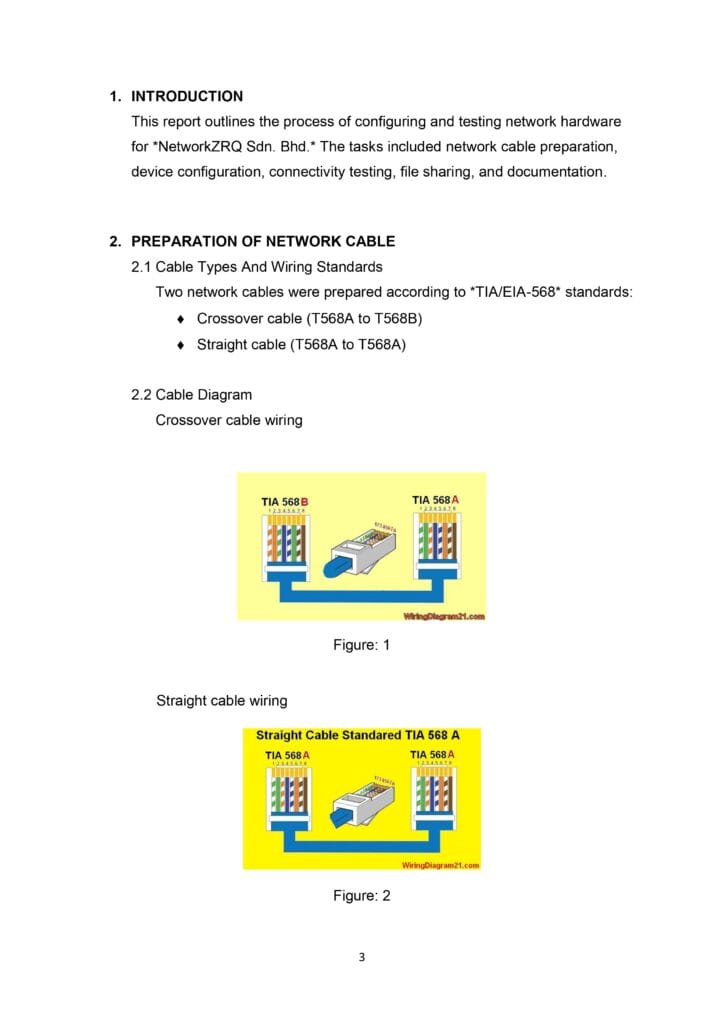
Page 1 – Introduction and Cable Diagrams
This page introduces the network hardware configuration project and details the wiring standards used
Cable Types: Specifies two types of cables prepared according to TIA/EIA-568 standards:
Crossover cable: Configured from T568A to T568B.
Straight cable: Configured from T568A to T568A.
Diagrams: Includes two visual diagrams (Figure 1 and Figure 2) illustrating the specific pin assignments for both crossover and straight cable wiring.
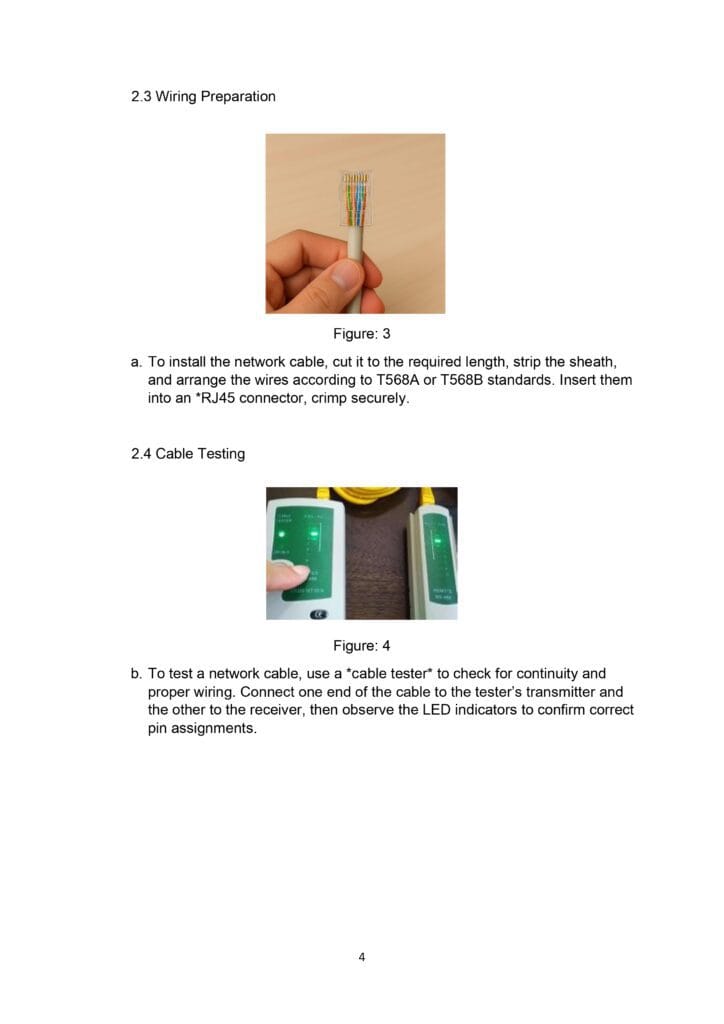
Page 2 – Wiring Preparation and Testing
This page describes the physical process of creating and verifying the network cables.
Wiring Preparation: Instructions for installing the cable involve cutting it to length, stripping the sheath, arranging wires by standard, and crimping them into an RJ45 connector.
Cable Testing: Explains how to use a cable tester to check for continuity. It involves connecting the cable to a transmitter and receiver to observe LED indicators for correct pin assignments.
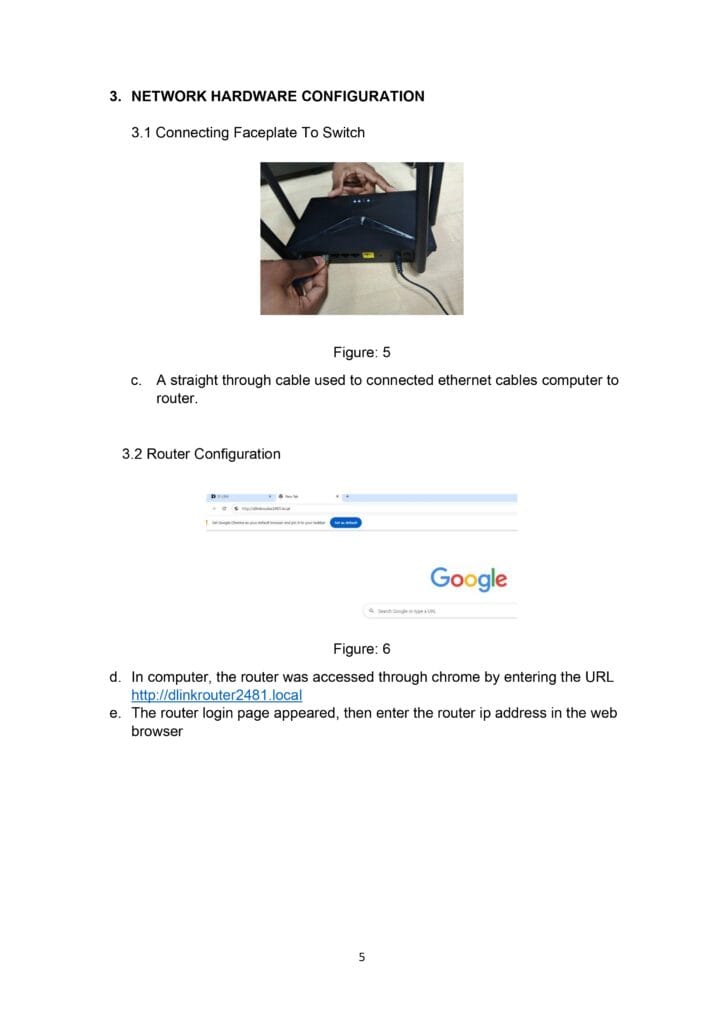
Page 3 – Initial Hardware Connection
This page covers the initial setup of the hardware and accessing the management interface.
- Physical Connection: States that a straight-through cable was used to connect the computer’s ethernet cable to the router.
- Accessing the Router: Describes accessing the router interface via a Chrome web browser using the URL (http://dlinkrouter2481.local)
- Login: The user enters the router’s IP address into the browser to bring up the login page.
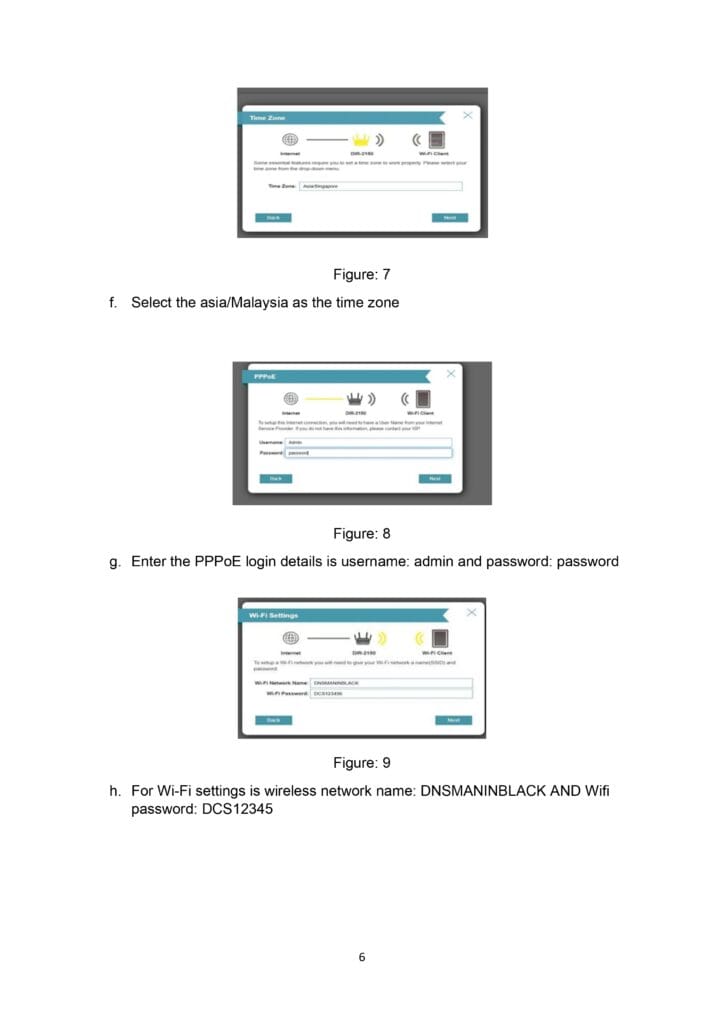
Page 4 – Router Configuration Settings
This page details the specific configuration steps within the router’s setup wizard.
Time Zone: The user selected Asia/Malaysia as the regional time setting.
PPPoE Details: The internet connection was set up using PPPoE with the username admin and the password password.
Wi-Fi Settings: The wireless network was named DNSMANINBLACK with the password DCS12345.
Page 5 –Security Summary and IP Assignments
The final sections of the report cover administrative security and the resulting network configuration.
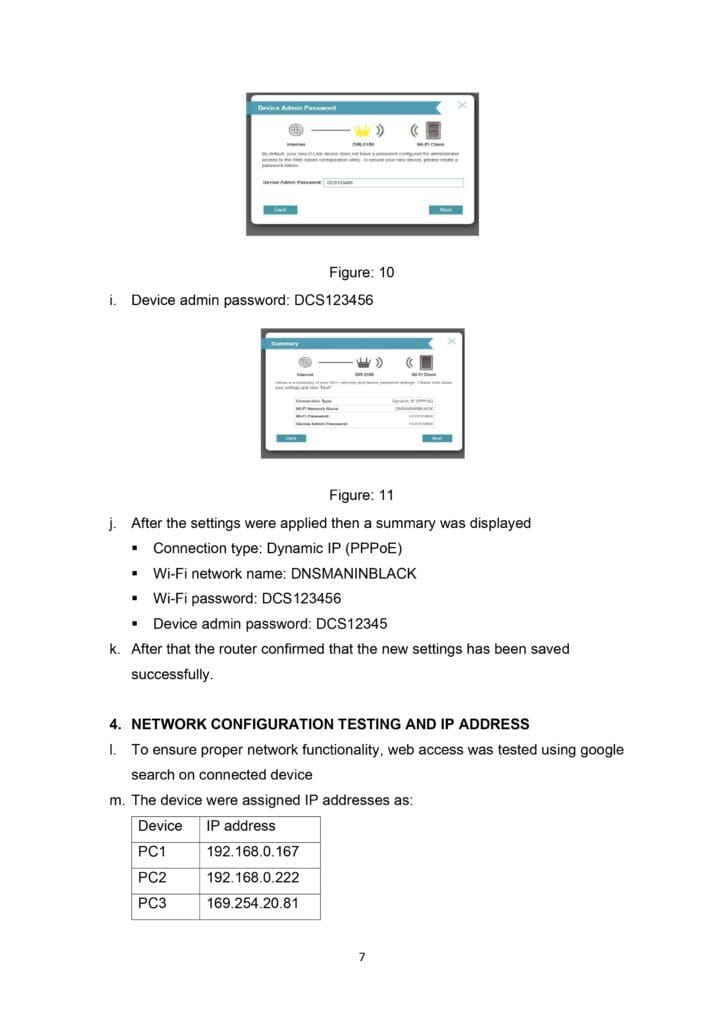
- Admin Security: A device admin password of DCS123456 was configured.
- Configuration Summary: A summary screen confirmed the Connection Type (Dynamic IP/PPPoE), Wi-Fi Name, and passwords before successfully saving the settings.
- IP Address Table: Lists the IP addresses assigned to the devices on the network:
- PC1: 192.168.0.167
- PC2: 192.168.0.222
- PC3: 169.254.20.81
Page 6 – Conclusion
The document concludes with the final testing results and future recommendations.
- Final Device: Notes that a laptop also successfully obtained an IP address of 192.168.0.179.
- Verification: Confirms all devices successfully obtained internet access and network functionality was verified via Google search.
- Conclusion: States the setup was successful. It recommends future enhancements such as firewall security and advanced network monitoring.